CDA to MP3 ConverterConvert CDA to MP3 in Batch, Free Download |
 |
| Home | Getting Started | Download | Buy Now! | Screen Shots | FAQ | Support | Contact |
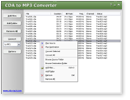
CDA to MP3 Converter converts CDA to MP3 in batch. The converter also supports DTS Audio CD. The software is an ALL-IN-ONE audio converter that converts more than 90 audio and video formats to AAC, AIFF, ALAC, CAF, FLAC, M4A, M4B, MP3, MP4, OGG, WAV, WMA, and so on. If your CD is an audiobook, you can convert it into M4B audiobooks format that is supported by iPod and iTunes. And it's possible to join mulitple CDA files to one file such as M4B, MP3, WMA, etc. CDA to MP3 Converter also supports DVD. You can rip DVD to MP3 with CDA to MP3 Converter. You can easily change encoding parameters such as sample frequency, bit rate, channels, and quality in the converter. And it's also possible to set parameters to "same as the original file". If you want to increase or decrease volume of output file, it's easy as well. CDA to MP3 Converter supports batch conversion. You can convert bulk of files at a time. And, the software is full compatible with Windows 10/8/7/Vista/XP/2000. A CD Audio Track or .cda file is a small (44 bytes) file generated by Microsoft Windows for each track on an audio CD (it is a virtual file that can be read by Windows software, but is not actually present on the CD audio media). The file contains indexing information that programs can use to play or rip the disc. The file is given a name in the format Track##.cda. The .cda files do not contain the actual PCM wave data, but instead tell where on the disc the track starts and stops. If the file is "copied" from the CD-ROM to the computer, it becomes useless, since it is only a shortcut to part of the disc. However, some audio editing and CD creation programs will, from the user's perspective, load .cda files as though they are actual audio data files.
CDA to MP3 Converter is 100% clean and safe to install.
It's certified by major download sites.
Top 10 Benefits of CDA to MP3 Converter:
CDA to MP3 Converter converts CDA files to MP3 and other formats such as AAC, M4A, WMA, OGG, and so on. So that you can listen to the audio in iPod or MP3 Player. CDA to MP3 Converter also supports DVD. The converter can rip DVD to MP3, WMA, OGG, AAC, and M4A formats. To rip DVD to MP3, please choose VOB file in DVD and the convert the VOB to MP3 or other format. M4B file is an audiobook format that can be "bookmarked" by supporting audio players such as iTunes and iPod. If your CD is an audiobook, the CDA to MP3 Converter can convert your CD to M4B audiobooks. If you think volume of your media file is too large or too low, you can use CDA to MP3 Converter to increase or decrease the sound volume. The software could normalize volume automatically as well. The DTS Music Disc (official name), DTS Audio CD or 5.1 Music Disc is an audio Compact Disc that contains music in surround sound format. The CDA to MP3 Converter is the first software that converts DTS Audio CD to MP3 in the world. CDA to MP3 Converter can add ID3 tag such as title, artist, album, year, genre, and comment to target file when converting files to MP3/WMA/OGG/MP4/M4A/M4B. The software also supports to keep ID3 tag including ID3v1 and ID3v2 of original files when converting. CDA to MP3 Converter supports batch conversion. You can add bulk of files or a folder, or drag and drop files and folders onto main window of the converter; it will search all supported files and add them to conversion list. When you click Convert, all files will be converted in batch. Many karaoke songs got the music on one channel and music + voice on the other channel, and this would be a way to create files with only music on both channels and also to create files with music + voice on both channels. You can get rid of a channel of a stereo file by the program. If you have bulk of files within different folders, and you want to convert them to another format and keep original directory tree, the CDA to MP3 Converter is just the software you need. CDA to MP3 Converter is very easy-to-use without knowledge of CDA and MP3 files. If you're looking for a freeware, please remember most freeware is not professional; some freeware might install adware to your computer. The CDA to MP3 Converter supports almost any audio and video formats, and it's 100% clean. File Formats CDA to MP3 Converter Supported:
CDA to MP3 Converter Key Features:
CDA to MP3 Converter Quick Info:
|


| Home | Getting Started | Download | Buy Now! | Screen Shots | FAQ | Support | Contact | Links |
| Copyright © 2009-2017 Hoo Technologies All rights reserved. Privacy Policy |